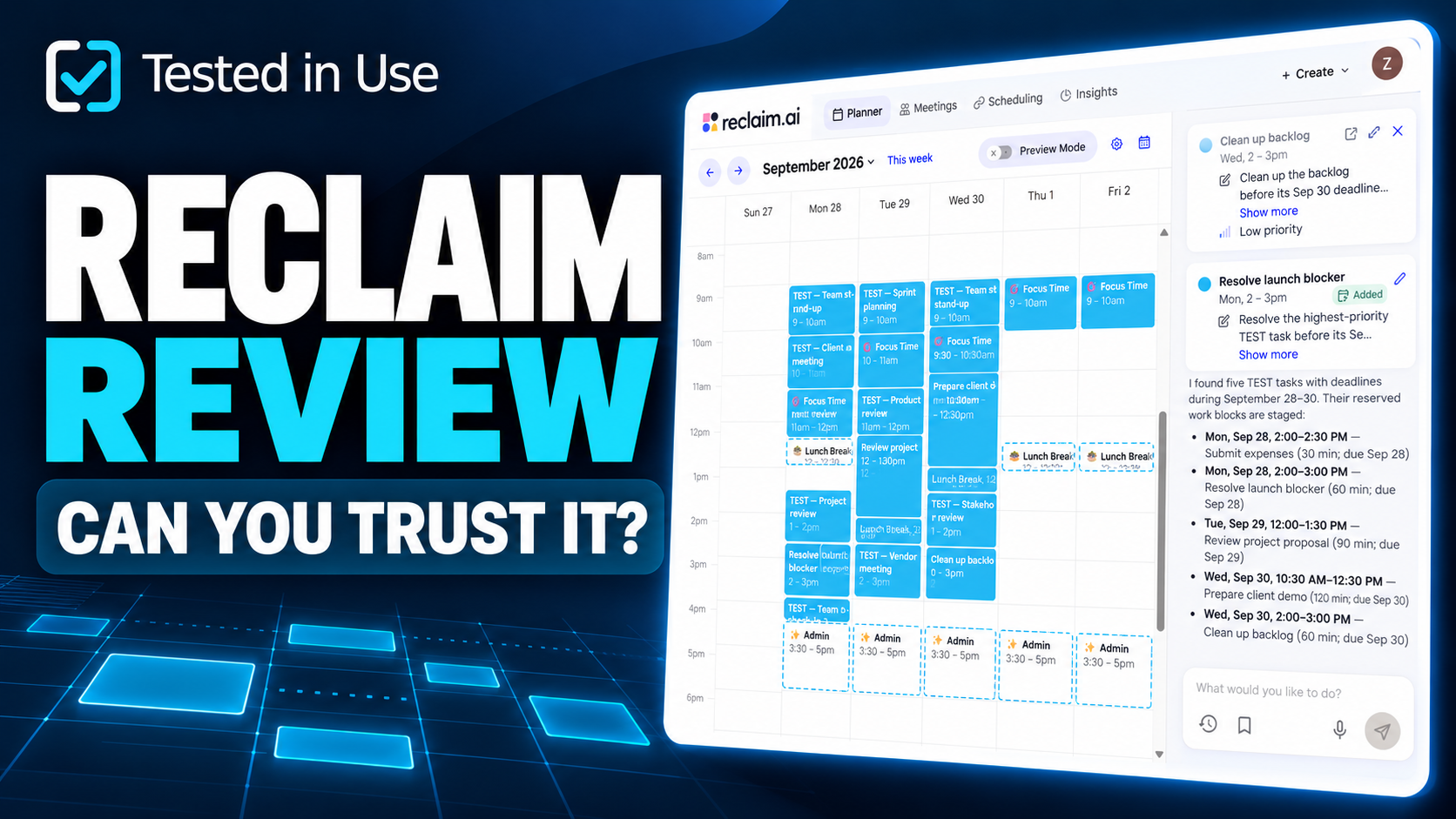
Tested September 25, 2026 · Reclaim 2.0 web app · Business trial · Google Calendar
Quick verdict: Reclaim made it easier to reserve focus time around meetings in our controlled test. Its task-planning assistant needed closer supervision: it initially answered about meetings instead of tasks, then proposed two overlapping work blocks. We would use it to help manage a calendar, while reviewing its task plans before applying them.
Affiliate disclosure: Tested in Use participates in Reclaim’s affiliate program. This review is based on our own testing. No affiliate link is included at this time.
What we tested
We connected Google Calendar to Reclaim and built a fictional workweek with fixed meetings, recurring habits and five tasks. We then introduced a meeting conflict, changed a task’s priority, added an impossible workload and booked through a Scheduling Link.
The practical question was simple: could Reclaim protect useful work time and adapt when the plan changed?
This was a single controlled session, not a long-term productivity study. Our evidence includes nine screen recordings, 21 screenshots and written observations. The calendar covers the week of September 27–October 3, with the task tests focused on September 28–30. Scheduled time is not the same as work completed.
Test conditions
| Setting | What we actually tested |
|---|---|
| Product | Reclaim 2.0 in a desktop browser |
| Access | Trial with Business features; the initial banner showed seven days remaining |
| Calendar | Google Calendar; Toronto/Eastern time |
| Working hours | 9 a.m.–5 p.m., as recorded in our test notes |
| Focus goal | Five hours per week; permitted Focus blocks of one to four hours |
| Habits | Lunch initially at noon–12:30 p.m.; Admin initially at 3:30–5 p.m. |
| Habit rules | Screenshots show a 30-minute minimum and “Skip when busy”; Admin was marked Free |
| Tasks | Five tasks, ranging from 30 minutes to two hours, with start dates, due dates and priorities |
| Stress test | A 12-hour task with its start and due date on September 28 |
These are the captured settings, rather than every setting proposed in our original test plan. In particular, Admin occupied a 90-minute default slot despite its 30-minute minimum. The form showed a due date, but no due-time field. We therefore did not test an explicit 5 p.m. task deadline.
An important difference in Reclaim 2.0
Reclaim 2.0 does not automatically place every individual task on your calendar in the same way as Reclaim 1.0. Its documented workflow recommends tasks and lets you request work blocks through the assistant. Habits and Focus Time can still adjust automatically under their rules. Assistant changes go through Preview Mode. Reclaim Tasks documentation · Reclaim 2.0 FAQ
That distinction matters: a task failing to appear automatically is not, by itself, evidence of a scheduling defect in 2.0.
What worked
Focus Time found usable gaps
The initial calendar shows five one-hour Focus blocks across the workweek, meeting the five-hour weekly goal. They fit around the fixed test meetings. Our notes also record that the initial blocks stayed within working hours and met the configured minimum length.
This was the clearest benefit in the test: we could see reserved work time without placing each block manually.

A new meeting caused flexible time to adjust
We added an urgent client escalation through Google Calendar. The captured result shows an adjusted schedule; our notes report that Reclaim handled the new conflict without a manual resolution step.
The notes describe roughly one minute for one update and about five seconds on another attempt. Those are two informal observations, not an average response time or a reliable performance benchmark. We did not establish which internal priority rule caused the adjustment.
The Issues panel helped resolve a task overlap
The assistant-created task plan contained an overlap. Reclaim exposed it in Issues and offered alternative times. In the follow-up recording, selecting a suggested time moved Submit expenses to 3:30–4 p.m., and the panel then showed “All clear.”
That was a useful recovery path, although it still required intervention.
The booking flow completed successfully
A 30-minute Scheduling Link booking was confirmed for Monday, September 28, 11:30 a.m.–noon Eastern. The host-calendar capture shows the same slot.
The trade-off mattered: our notes report that Admin moved and focus time was sacrificed. A completed booking should not be confused with every existing preference remaining intact.
Where it fell short
The first prioritization answer discussed the wrong items
We asked which TEST tasks to prioritize across September 28–30. The assistant’s first answer described six items as critical and discussed Sprint planning, Stakeholder review and other meetings, rather than the five tasks we had entered.
The next, more explicit request to reserve task work blocks found the five correct tasks. This suggests that wording and context mattered in this session. It does not establish that every prioritization request will fail, but it does mean we would check what the answer is actually referring to.
The proposed work plan included two tasks at once
The assistant reserved Submit expenses for 2–2:30 p.m. and Resolve launch blocker for 2–3 p.m. on the same Monday. It explicitly acknowledged the overlap before the changes were applied.

Preview Mode is valuable here. It gave us an opportunity to inspect the plan, but the presence of a preview did not make the proposed schedule conflict-free.
Changing priority did not visibly rearrange the plan
Changing the backlog task’s priority produced no visible calendar rearrangement in the recording. The existing overlap also remained until it was handled through Issues.
That is an observation about this particular test—not proof that Reclaim ignores priorities. In 2.0, task recommendations and previously created work blocks are different parts of the workflow. We did not separately establish how the priority change affected later recommendations.
The impossible task needed a direct question
We entered a 12-hour task for a single 9–5 day. It appeared in the task list, but the tester observed no proactive impossibility warning there or in Issues during the check.
When explicitly asked whether it could fit, the assistant correctly explained that eight working hours could not accommodate 12 hours of work. It identified a shortfall of at least four hours before existing commitments and suggested spreading the work across days or extending the day.

The useful distinction is proactive warning versus prompted analysis. Saying that Reclaim never noticed the impossible task would misrepresent the evidence. Equally, its answer did not calculate the exact remaining capacity after every meeting and habit.
Habit management took some learning
Our notes record that deleting a Habit was initially confusing because its controls were under Agents. Once found, that structure was usable, but the terminology added friction for a first-time user.
Later captures also show Lunch and Admin moving from their initial slots. We did not capture enough of every allowed-time rule to determine whether those moves violated a configured window.
Results at a glance
| Test | Observed outcome |
|---|---|
| Initial Focus goal | Five one-hour blocks scheduled across the week |
| Fixed meetings | Initial Focus plan fit around the Busy test meetings |
| New meeting conflict | Flexible time adjusted; automatic handling reported in notes |
| Initial prioritization | Assistant discussed meetings instead of the five tasks |
| Requested task plan | Correct tasks found, but two work blocks overlapped |
| Conflict recovery | Suggested time selected manually; Issues then showed All clear |
| Task priority change | No visible calendar rearrangement in this recording |
| Impossible workload | No proactive warning observed; correct explanation on request |
| Scheduling Link | Booking confirmed at the expected time; flexible-time trade-off reported |
Pricing and value
We tested trial access to Business features, not the free plan alone. Reclaim’s current pricing page, checked September 25, 2026, lists a free Lite plan and paid tiers. Check its current billing term, limits and currency before purchasing; this review does not reproduce a potentially stale price or promotion.
The value question is whether the calendar automation removes enough manual work for you. In this session, Focus Time provided the strongest evidence in its favour. The task-planning results make it harder to recommend paying solely for an expectation of unattended, conflict-free task scheduling.
Who should choose it?
Worth trying: people with meeting-heavy calendars who want recurring routines and focus time reserved for them, and who are willing to review suggested changes.
Approach more cautiously: people whose main requirement is an automatically maintained, conflict-free task schedule or dependable proactive overload warnings. Our session did not establish those outcomes.
We did not test team-wide scheduling, Calendar Sync privacy policies, task-manager integrations, buffers, mobile workflows or long-term productivity gains. Connecting Google Calendar is not the same as testing the separate Calendar Sync feature. We also did not run a controlled comparison against competing products.
Final verdict
Reclaim 2.0 earned a place on our shortlist for protecting focus time. It placed useful blocks around meetings and offered a workable way to resolve conflicts. Its task assistant was less consistent: the first answer referenced the wrong items, a proposed plan included an overlap, and the impossible-workload check needed a direct prompt.
Our recommendation is to try it on a representative calendar and review both the proposed changes and the resulting week. In this test, the calendar automation was useful; the task-planning output still needed checking.
Sources and test evidence
- Our September 25, 2026 recordings, screenshots and test notes. All on-screen meetings and tasks described above were test inputs.
- Reclaim 2.0 Tasks overview, checked September 25, 2026.
- Reclaim 2.0 FAQ, checked September 25, 2026.
- Reclaim pricing, checked September 25, 2026.